Your booking URL is how clients find and book appointments with you. CalendarPA offers several ways to customize it.
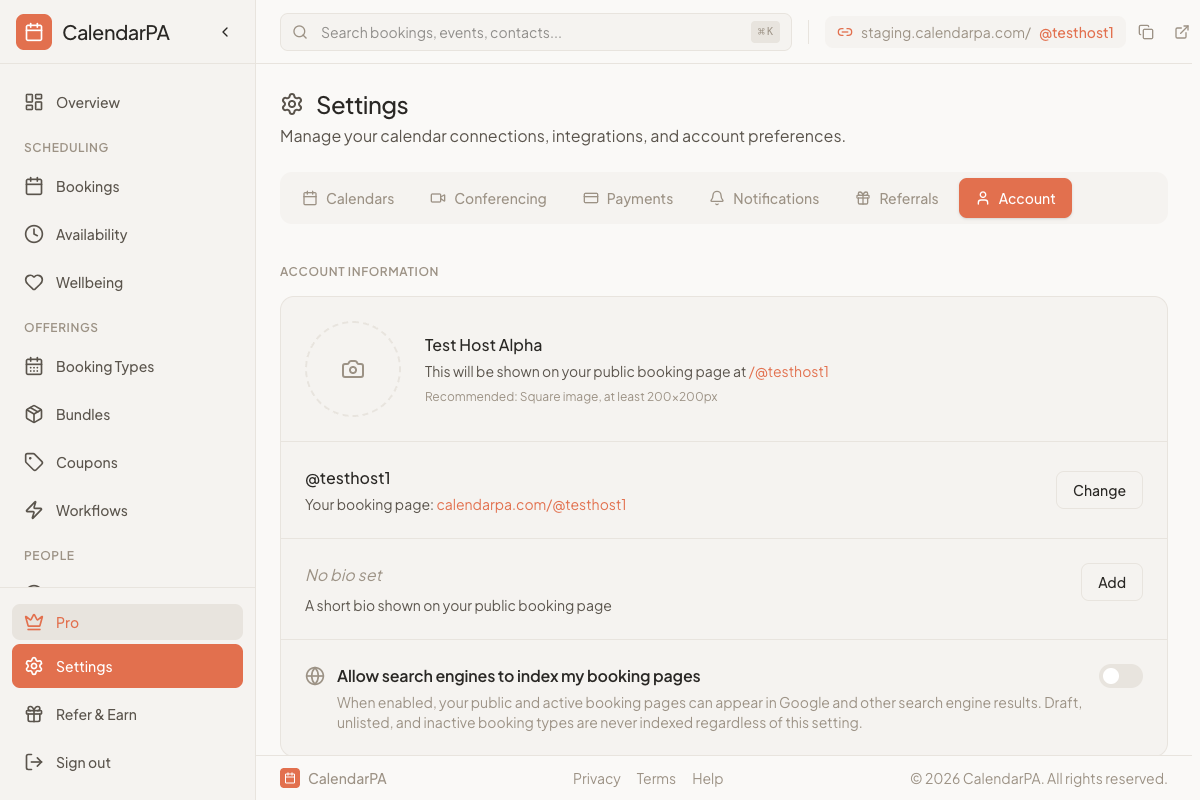
Your main profile URL is: calendarpa.com/@yourusername
To change your username:
Go to Settings > Account
Edit the Username field
Save changes
Username tips:
Keep it short and memorable
Use your name or business name
Avoid special characters
Each booking type has its own URL: calendarpa.com/@yourusername/booking-slug
To customize a booking type slug:
Go to Booking Types
Click on the booking type to edit
Find the URL Slug field
Enter your preferred slug
Good slug examples:
/consultation for a free consultation
/coaching-session for coaching calls
/30min for 30-minute meetings
You can copy your booking link from:
The dashboard header (quick copy button)
The Booking Types page (copy icon next to each type)
Your public profile page
Add your booking link to your email signature
Include it on your website's contact page
Share directly in messages or social media bios
