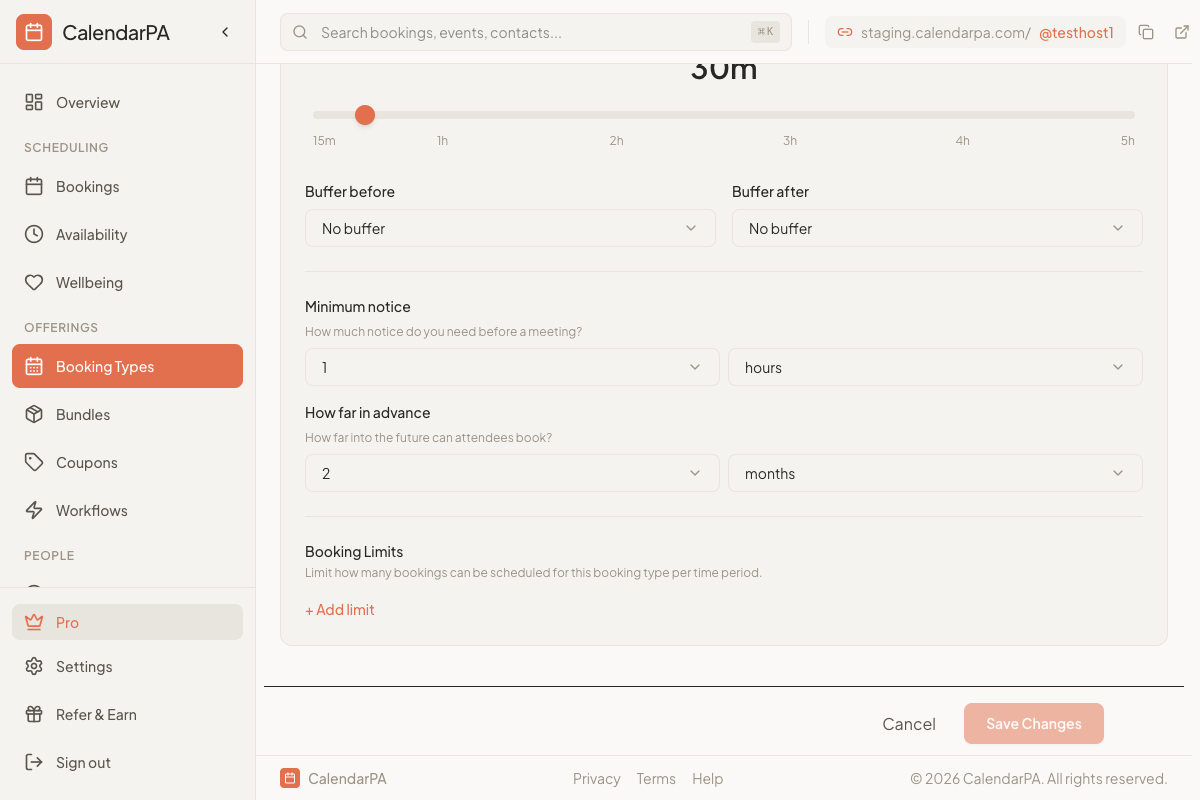
Buffer times are gaps before or after appointments that give you breathing room.
Time before a meeting starts. Use it for:
Reviewing client notes
Preparing materials
Mental preparation
Time after a meeting ends. Use it for:
Writing notes and follow-ups
Processing what was discussed
Short breaks
Go to Booking Types
Edit the booking type
In Advanced Settings, find Buffer Times
Set your before and after buffers
Quick virtual calls (15-30 min):
Before: 5 minutes
After: 5-10 minutes
Standard meetings (45-60 min):
Before: 10 minutes
After: 15 minutes
Deep work sessions (90+ min):
Before: 15 minutes
After: 30 minutes
Don't skip after buffers - They prevent mental fatigue
Consider your energy - Longer buffers in the afternoon
Include admin time - Buffers are for notes and follow-ups
