CalendarPA's Wellbeing features help you maintain a healthy relationship with your calendar and prevent burnout.
Plan requirement: Wellbeing is available on Pro plans and above.
Back-to-back meetings lead to:
Decision fatigue
Reduced focus and creativity
Burnout over time
Lower quality interactions
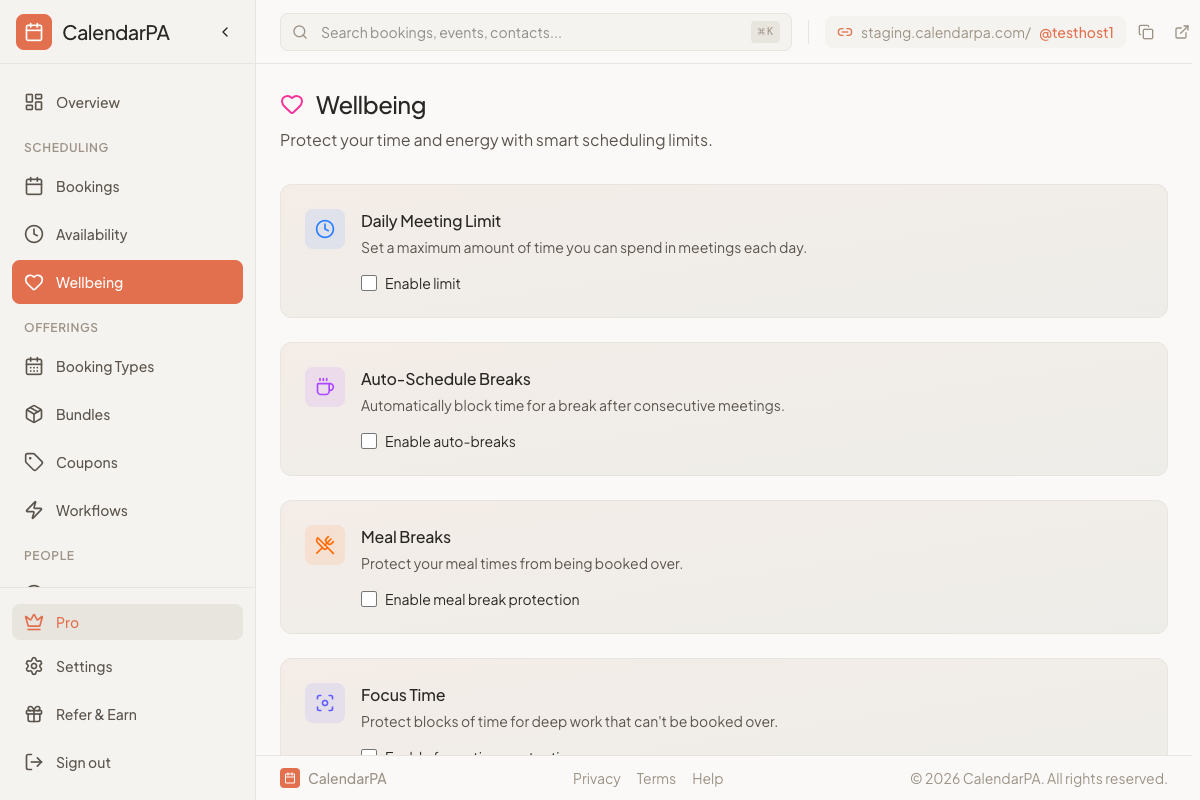
Set the most time you want to spend in meetings each day, from 30 minutes up to 16 hours. Once a booking would take you past it, CalendarPA stops offering more times that day.
After a run of meetings (1 to 4 hours), CalendarPA keeps a break free before your next one. You choose the break length, from 5 minutes to 3 hours.
Protect your meal times. A Required meal break always keeps time for the meal free inside its window; a Preferred one is a guide and doesn't block bookings.
Maker Schedule: protect your mornings for focused work, so meetings are only offered later in the day
Auto Focus: automatically protect gaps between meetings as focus time
Custom Focus Blocks: name your own blocks of deep-work time on the days you choose
Breaks, meal times and focus time can also be added to your calendar as calendar entries, if you want them visible there.
Go to Well-being in your dashboard
Turn on the protections you want
Adjust the limits and times
Save your changes
Daily meeting limit: 4 to 5 hours
Break after: 2 hours of meetings
Break duration: 15 minutes
Adjust based on your role and energy levels. The goal is sustainable productivity, not maximum availability.
