SMS reminders have higher open rates than email and significantly reduce no-shows.
Pro plan or above
Phone number field enabled on booking type
Invitee provides their phone number
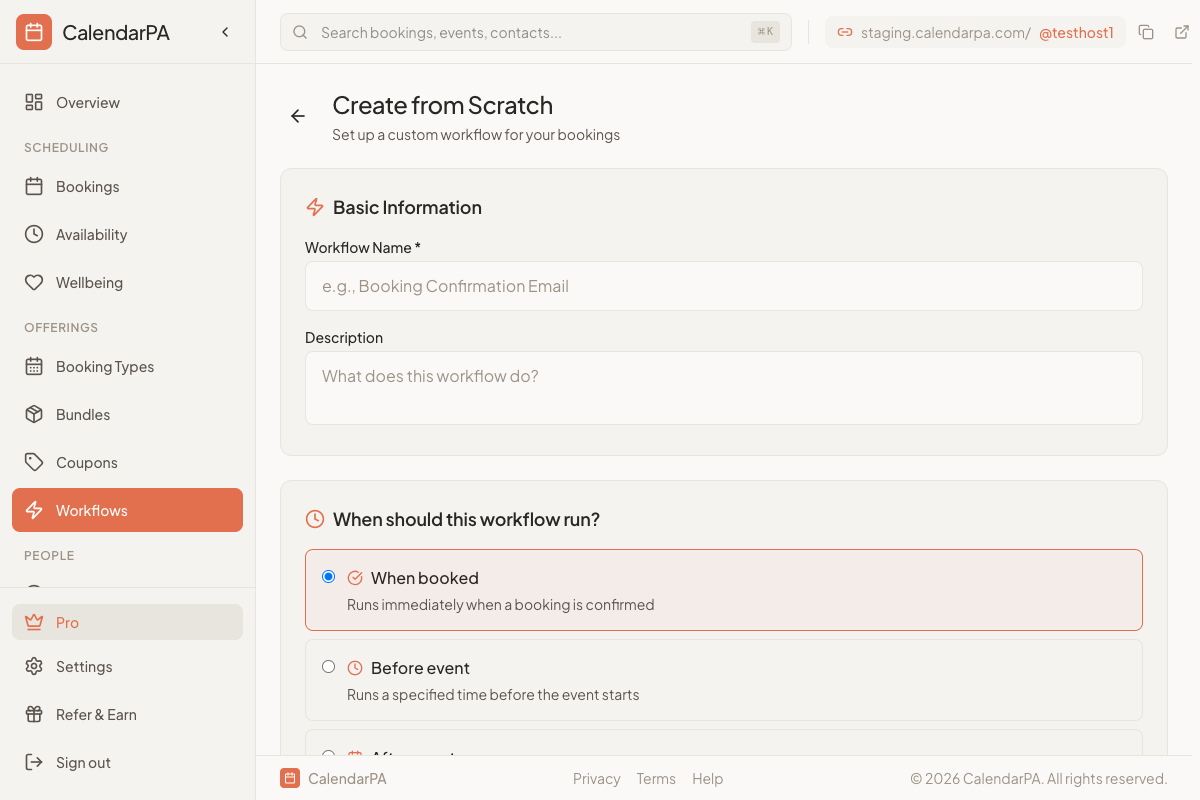
Go to Workflows
Click Create Workflow
Name it "SMS Reminder"
Set trigger to Before event (e.g., 1 hour)
Add Send SMS action
Write your message
Save and activate
SMS is limited to 160 characters per segment. Keep it concise:
Meeting reminder
Date and time
Brief action (e.g., "Reply to confirm")
1 Day Before:
"Hi {attendee_name}, reminder: {event_title} tomorrow at {event_time}. See you then!"
1 Hour Before:
"Your meeting with {host_name} starts in 1 hour. Meeting link: {meeting_link}"
24 hours before: Gives time to reschedule if needed
1 hour before: Final reminder, include meeting link
Combine both for maximum impact:
Email confirmation immediately
Email reminder 24 hours before
SMS reminder 1 hour before
To collect phone numbers:
Edit your booking type
Go to Custom Questions
Add or enable the phone number field
Mark as required if needed
