Embed your CalendarPA booking page directly on your website so visitors can book without leaving your site.
CalendarPA offers four embed styles:
Your booking page loads directly into your page content.
Best for: Dedicated booking pages or sections
A styled button that opens your booking page in a popup when clicked.
Best for: Call-to-action buttons
A simple text link that opens your booking page in a popup.
Best for: Links inside your own text
A button fixed to the corner of the page, visible as visitors scroll.
Best for: Making booking available on every page
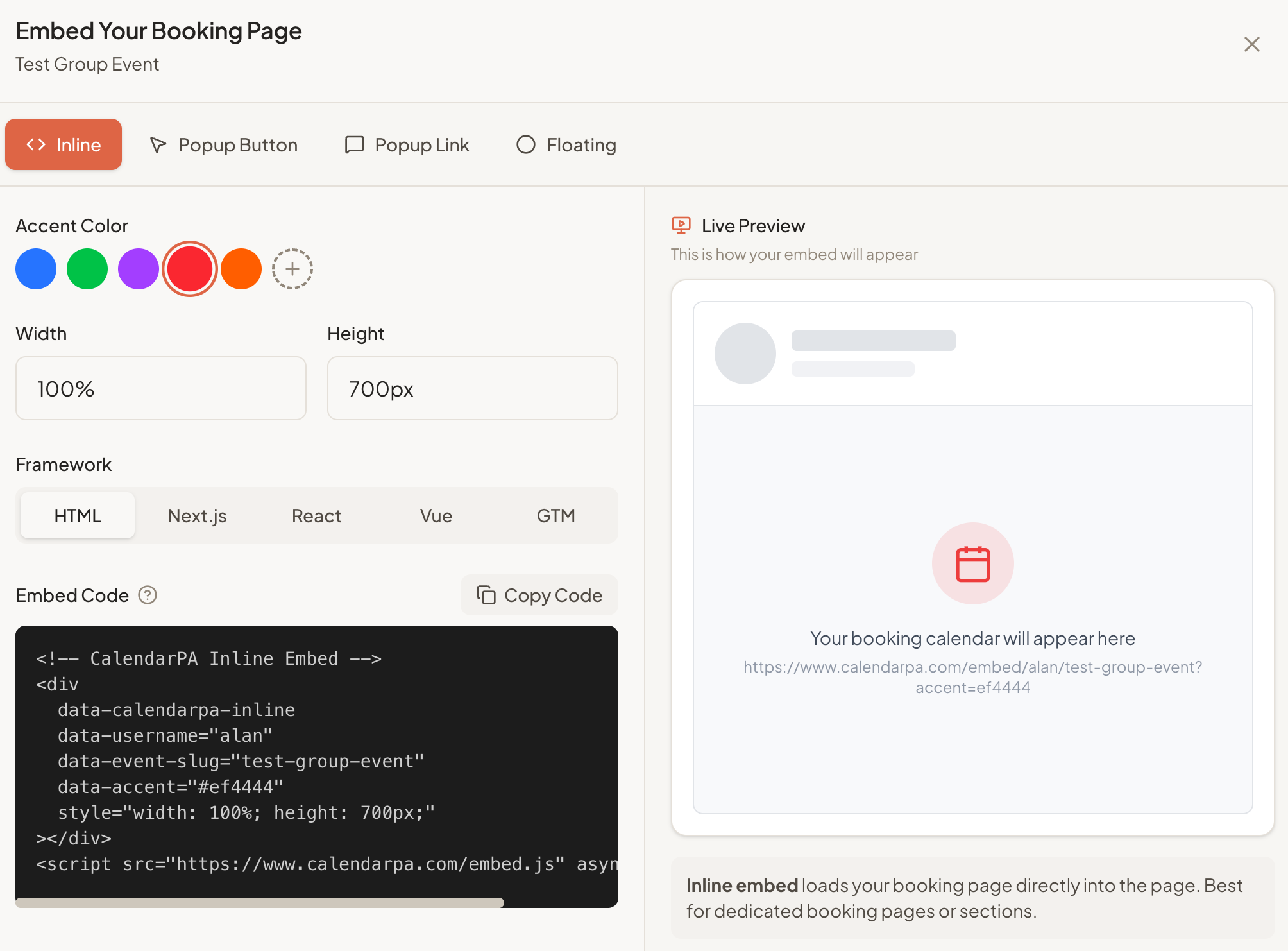
Go to Booking Types
Click the menu icon (⋮) on your booking type
Select Embed
Choose Inline, Popup Button, Popup Link or Floating
Pick your framework: HTML, Next.js, React, Vue or Google Tag Manager
Click Copy Code
Edit your page
Add a Custom HTML block
Paste the embed code
Update/publish
Add a Code Block
Paste the embed code
Save and publish
Add an HTML iframe element
Paste the embed code
Adjust size as needed
Most website builders have an "HTML" or "Code" block. Paste the embed code there.
In the embed window you can set:
Accent color and theme (light or dark)
Button text and button text color (popup button and floating)
Link text (popup link)
Position: left, center or right (floating)
Width (inline; the height adjusts to fit)
A live preview shows how the embed will look.
The embed is fully responsive and works on all device sizes.
