Share your referral link. When someone signs up through it and subscribes to a paid plan, you earn 20% of their subscription payments for as long as they stay subscribed.
Share your link. Referrals are tracked for 60 days after someone clicks it.
They sign up. When they create a CalendarPA account through your link, they're tracked as your referral.
You earn. You get 20% of every subscription payment they make, for the life of their account.
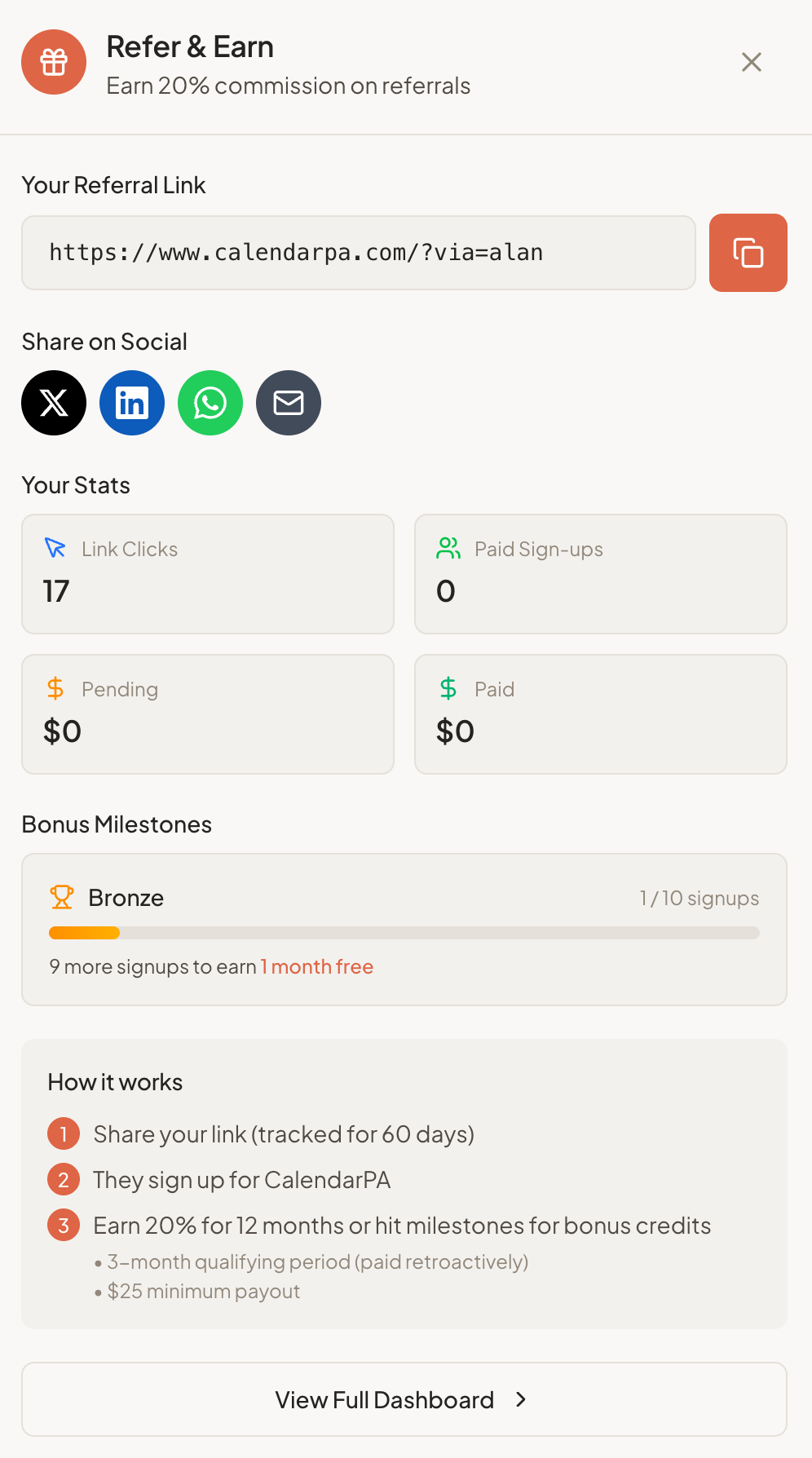
Go to Settings and open the Referrals tab (you can also click Refer & Earn in the sidebar)
Copy your referral link, or share it straight to Twitter, LinkedIn or email
Payout method: we pay referral earnings by PayPal or Wise. In the Referrals tab, under Payout details, choose PayPal or Wise under Pay me by, enter that account's email address twice, and click Save payout details.
Qualifying period: a referred account must stay active for 60 days before its commission is paid. After that, you're paid retroactively from day one.
Minimum payout: $25 USD.
Payout status: the Your payouts list in the Referrals tab shows each payout as Requested, In progress, Complete or Error.
Every signup through your link counts toward milestones, including free accounts. Each milestone adds free months to your own CalendarPA subscription, applied to your renewals:
| Signups | Bonus |
|---|---|
| 10 (Bronze) | 1 month |
| 25 (Silver) | 2 months |
| 50 (Gold) | 3 months |
| 100 (Platinum) | 6 months |
| 250 (Diamond) | 12 months |
The Referrals tab shows:
Link clicks
Paid sign-ups
Pending and paid commissions
Your progress toward the next milestone
Colleagues who schedule meetings
Business owners and freelancers
Coaches, consultants, therapists
Anyone who books appointments
Email signature
Social media profiles
Professional communities
Personal recommendations
