Stax lets you take card payments on your booking pages. Invitees pay by card when they book, and their billing address is collected at checkout.
You'll need an active Stax account, plus your API key and Web Payments Token. You can find both in your Stax dashboard under API settings.
Stax is available on every CalendarPA plan. The Free plan can have one payment provider active at a time; paid plans can keep several connected.
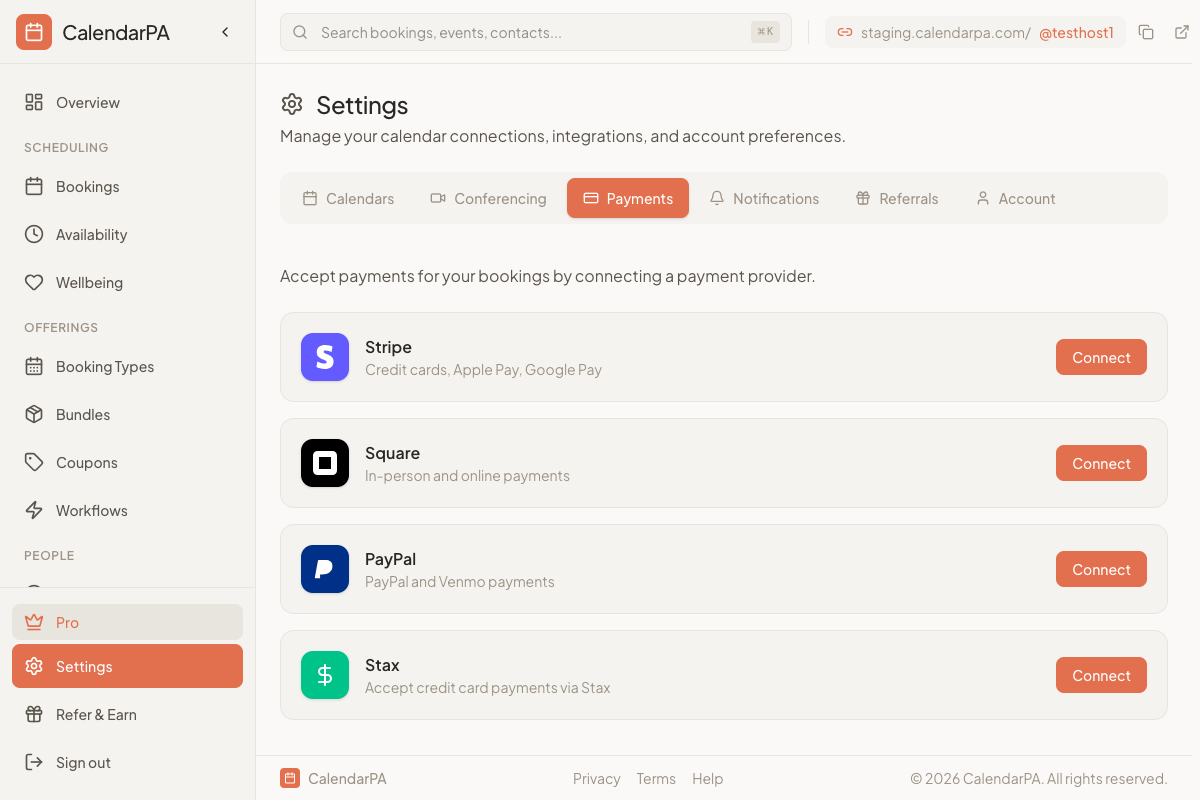
Go to Settings > Payments
On the Stax card, click Connect
Paste your API Key and your Web Payments Token
Click Save
The Web Payments Token is a public token. It's what lets your booking page collect card details securely.
Once Stax is connected, the Stax card shows a webhook URL with a Copy button.
Copy the webhook URL
In your Stax dashboard, go to Settings, then Webhooks
Add the URL for the create_transaction and update_transaction events
Without this step, a payment that times out mid-checkout won't be confirmed automatically. Treat the URL as a secret: it's what proves a request came from your account.
Edit your booking type
Open the Options tab
Turn on Collect payment
Set the Price
Choose Stax as the Payment provider
Save changes
The invitee's card is charged when they book.
At checkout, invitees enter:
Card number and CVV
Cardholder name
Billing address: street, city, state, ZIP and country
Go to Settings > Payments and click Disconnect on the Stax card.
Stax sets its own processing fees and account pricing. Contact Stax directly for details.
For Stax account questions, contact Stax support directly:
Website: staxpayments.com
Support portal in your Stax dashboard
For CalendarPA + Stax integration questions:
Use the help widget in your CalendarPA dashboard
Email [email protected]
