A booking limit caps how many bookings one booking type takes in a day, a week or a month, counted across everyone who books it. Use it to protect your capacity, for example no more than three discovery calls a day.
Plan requirement: Booking limits are available on Pro plans and above.
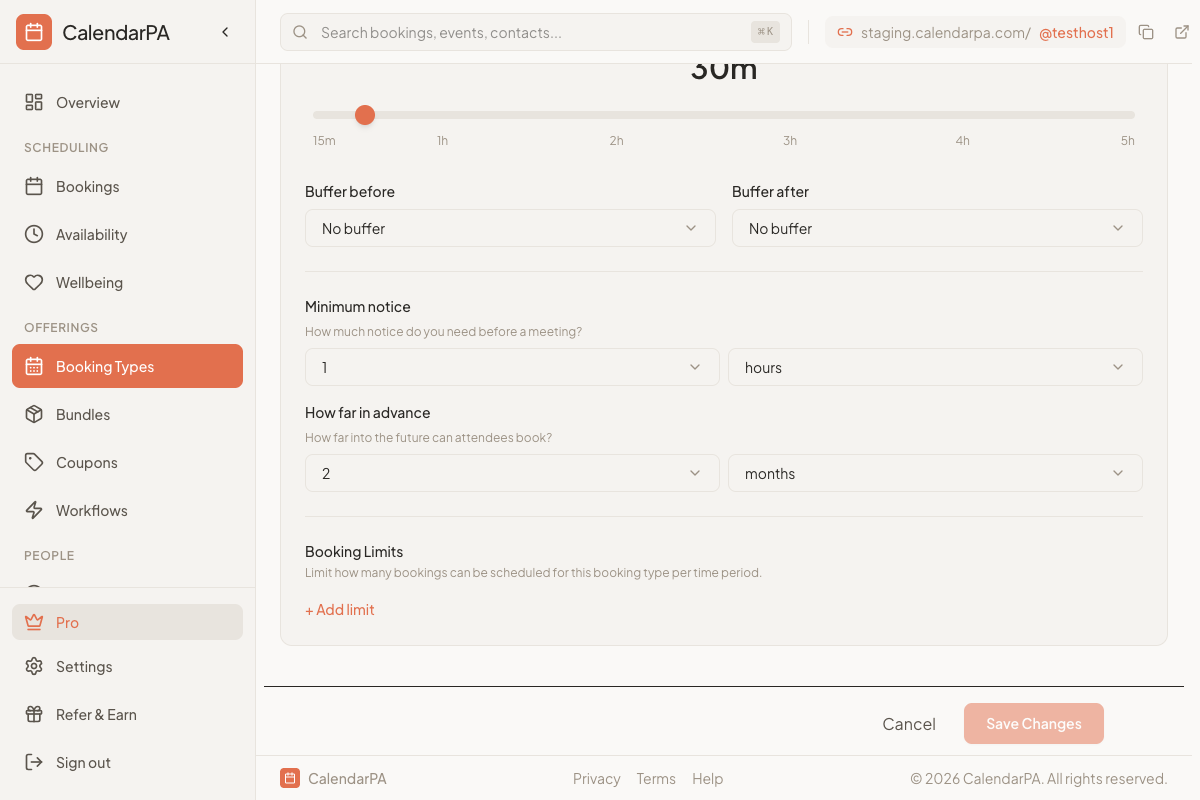
Go to Booking Types in your dashboard
Edit the booking type you want to limit
Open the Scheduling tab and find Booking Limits
Click + Add limit and set No more than a number per Day, Week or Month
You can add one limit for each period and combine them, for example no more than 2 per day and 8 per week. The editor warns you if a daily limit is higher than your weekly or monthly one.
A limit counts every pending, confirmed or awaiting-payment booking of that booking type, whoever made it. Cancelled bookings don't count.
Once a period reaches its cap, nobody sees more times in that period on your booking page.
The limit is checked again at the moment someone books, so two people can't both take the last place.
Periods follow the calendar in your time zone: a day runs from midnight to midnight, a week from Monday to Monday, and a month from the 1st.
A limit applies to its own booking type only. Your other booking types are not affected.
Free consultations: no more than 3 per week, so they don't crowd out paid work
Coaching: no more than 4 sessions per day
Discovery calls: no more than 10 per month
> Tip: If a booking type suddenly shows no times for the rest of a week or month while your other booking types still do, check whether it has reached one of its limits.
